The best keyboards for work balance a comfortable layout with the connection options and controls your daily tasks need. These picks include quiet wireless models, compact mechanical boards, and full-size choices with number pads, so you can match the keyboard to your desk and workflow.
Quick Top Products
JLab JBuds Wireless Keyboard

- 95 soft-touch keys and a media knob offer quiet typing and quick playback control.
- Switch among up to three connections, including Bluetooth and a wireless dongle.
- Rechargeable battery life is rated for up to 30 days of wireless use.
Best For: Office users who want quiet soft-touch keys, wireless device switching, and a number pad.

JLab Epic Wireless Keyboard

- The full-size layout has 108 backlit keys and a built-in media knob.
- Bluetooth pairs with up to three devices, and a USB wireless dongle is also supported.
- A rechargeable 2000 mAh battery powers the keyboard.
Best For: People who want a full-size wireless keyboard with illuminated keys and a media knob.
JLab Go Wireless Keyboard
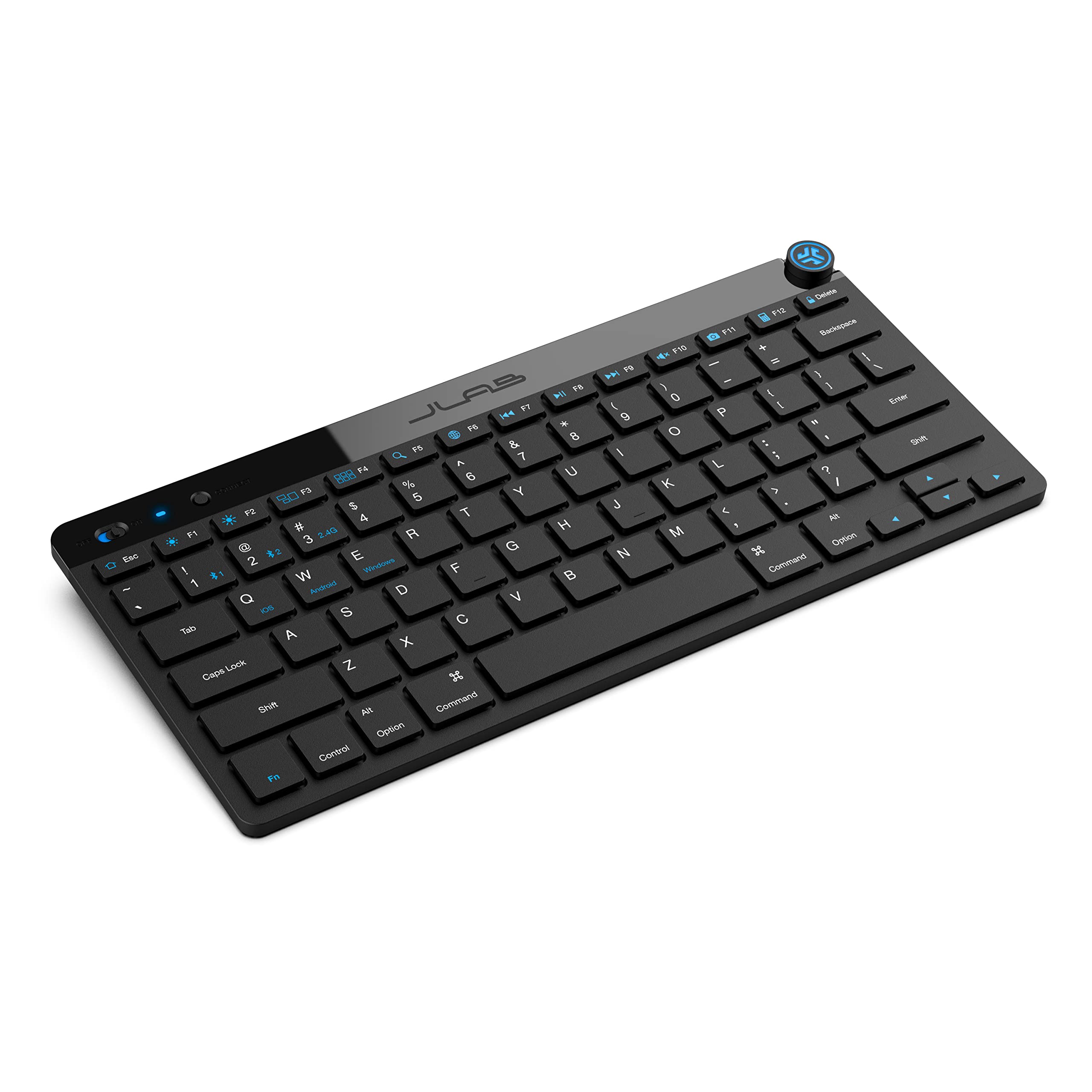
- Bluetooth 5.0 and a USB dongle support up to three saved connections.
- The compact, low-profile design is intended for a minimal workspace and quiet typing.
- This offer is a four-pack for teams or multiple workstations.
Best For: Users who want a compact, low-profile keyboard for travel, home offices, or shared desks.
SteelSeries Apex 3

- Whisper-quiet switches are rated for 20 million low-friction keypresses.
- IP32 water resistance helps guard against accidental liquid spills.
- A magnetic wrist rest and dedicated multimedia controls are included.
Best For: Desk workers who prefer quiet keys, wired simplicity, and a magnetic wrist rest.
SteelSeries Apex 3 TKL

- The tenkeyless layout is designed to save space and allow flexible positioning.
- Quiet switches include anti-ghosting and are rated for over 20 million keypresses.
- Dedicated media controls include a clickable volume roller and media keys.
Best For: Users who want a quieter tenkeyless keyboard that leaves more room for a mouse or notebook.
SteelSeries Apex 5
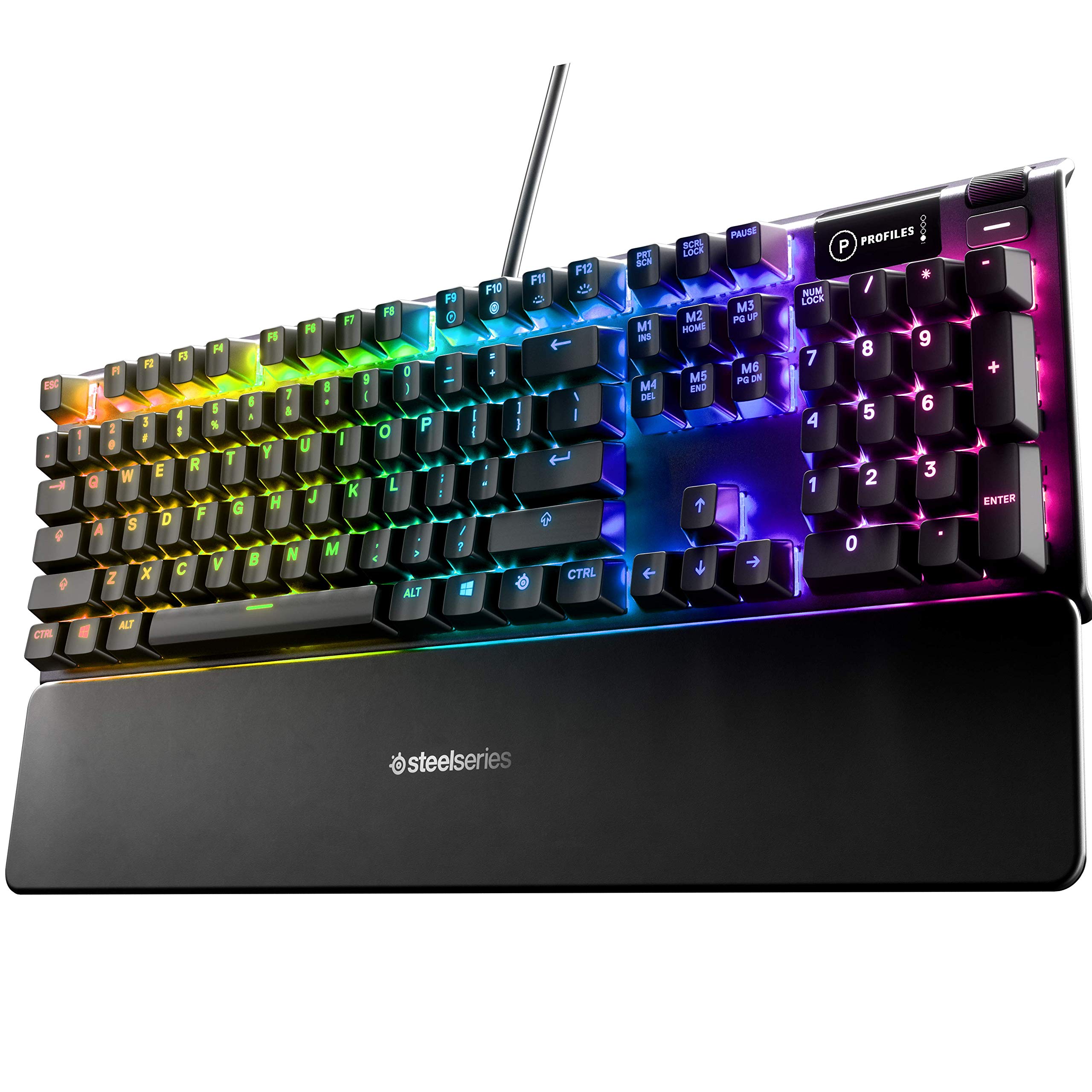
- Hybrid blue switches provide tactile, clicky key feedback.
- The OLED display can show customized GIFs, game information, and messages.
- An aluminum alloy frame and magnetic wrist rest are included.
Best For: Workers who enjoy tactile, clicky keys and want a display and magnetic wrist rest.
SOLAKAKA KI99 Pro Silent

- The 96% layout keeps a number pad while saving desk space.
- Silent switches and five noise-reducing layers target quieter typing.
- It supports three connection types and has a 10,000 mAh battery.
Best For: Mechanical keyboard users who want a number pad, silent switches, and wireless or wired connections.
SOLAKAKA A75 Wireless Mechanical Keyboard
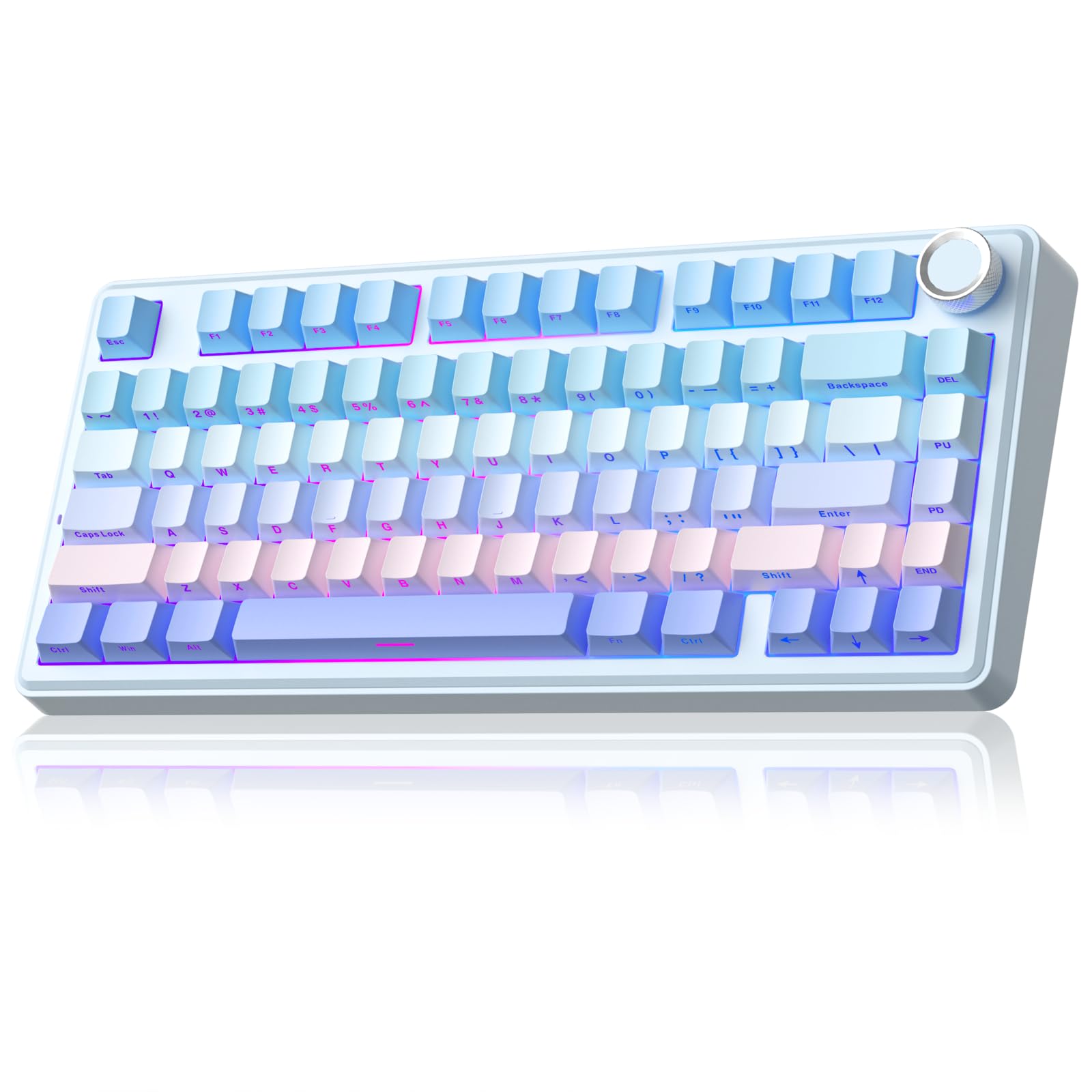
- The 81-key layout keeps arrow keys while saving space.
- The knob can mute and adjust volume in office mode.
- Tri-mode connections and support for up to five devices provide flexibility.
Best For: Desk users who want an 81-key board with hot-swappable switches and separate office-mode controls.
Quiet Wireless Typing With a Number Pad
JLab JBuds Wireless Keyboard, 95 Key, Multi-Device Bluetooth and USB dongle, Soft Touch Keys, Media knob, Custom Profiles, Black
The JLab JBuds combines a 95-key layout with a full numerical pad, soft-touch keys, and a dedicated media knob. Its Bluetooth 5.2 connection can pair with two devices, while the included wireless dongle provides a third connection option.
The rechargeable battery is rated for up to 30 days of wireless use. This is a practical fit for a shared workspace or a desk where you want fewer cables and quick volume or playback control.
Its slim profile keeps the setup tidy, though its 95-key layout is more compact than a standard full-size keyboard.
Best For: Office users who want quiet soft-touch keys, wireless device switching, and a number pad.
| Pros | Cons |
|---|---|
|
|
Choose this JLab if quiet-feeling keys, a number pad, and straightforward device switching matter more than a standard full-size layout. The media knob is handy when you adjust audio throughout the day, and the battery rating may suit a desk without a convenient charging cable.
Check that 95 keys provide the navigation keys you rely on, and confirm whether its low-profile design and typing feel suit your posture and preferences.
Full-Size Wireless Board With Backlighting
JLab, Epic, Wireless Keyboard, Bluetooth 5.2, USB Dongle, Multi-Device, Backlit, 108 Keys, Black
The JLab Epic keeps all 108 keys in a full-size layout and adds backlighting across the keys. A built-in media knob gives quick access to audio volume, while soft-touch keys are intended to provide a comfortable, quiet typing feel for work sessions.
Connect with Bluetooth 5.2 to as many as three devices, or use the USB wireless dongle. The rechargeable 2000 mAh battery avoids disposable batteries.
This is a sensible desk choice for people who work in lower light and need a familiar full-size layout, though the record does not specify how long the battery lasts between charges.
Best For: People who want a full-size wireless keyboard with illuminated keys and a media knob.
| Pros | Cons |
|---|---|
|
|
Pick the Epic if you want a familiar full-size layout, backlit keys, and wireless connections for several devices. Its 108-key layout preserves the number pad, while the rechargeable battery and metal base suit a permanent desk.
Before buying, check whether the keyboard's physical dimensions suit your workspace and whether its backlighting and key feel fit your environment. Battery capacity is given, but runtime is not, so plan around access to charging rather than assuming a particular interval.
Compact Wireless Option for Shared Setups
JLab Go Wireless Keyboard, Bluetooth and USB dongle, Multi-Device, Compact, Black (4 Pack)
JLab's Go Wireless Keyboard uses a compact, low-profile design to keep a desk uncluttered. It connects over Bluetooth 5.0 or with a USB wireless dongle and can save up to three device connections, making it suitable for switching between a computer, tablet, and phone.
Its quiet typing feel and lightweight construction also make it an option for travel or a flexible home office. This candidate is sold as a four-pack, which can make sense for outfitting several workstations or shared devices.
Its compact layout means you should confirm which keys are omitted before relying on it for number-heavy work.
Best For: Users who want a compact, low-profile keyboard for travel, home offices, or shared desks.
| Pros | Cons |
|---|---|
|
|
Consider the Go if portability and device switching take priority over a full-size key layout. Its compact design can free desk space, and the four-pack suits a team or household setting up several stations.
Check the key arrangement against your daily work, especially if you use a number pad or dedicated navigation keys. The source gives a two-battery requirement but not runtime or battery type, so verify those details and charging expectations before choosing it for a mobile setup.
Quiet Wired Board With Spill Resistance
SteelSeries Apex 3 RGB Gaming Keyboard – 10-Zone RGB Illumination – IP32 Water Resistant – Premium Magnetic Wrist Rest (Whisper Quiet Gaming Switch)
The SteelSeries Apex 3 is a wired keyboard with whisper-quiet switches, dedicated multimedia controls, and a magnetic wrist rest. Its IP32 water resistance is designed to help prevent damage from accidental liquid spills, a useful feature on a busy desk.
Ten-zone RGB illumination adds customizable lighting, though work buyers may care more about the quiet operation and direct media access. The standard full-size format is not explicitly identified in the record, so check its layout if a number pad is important.
This model is a fit for someone who prefers a stable wired connection and does not need wireless device switching.
Best For: Desk workers who prefer quiet keys, wired simplicity, and a magnetic wrist rest.
| Pros | Cons |
|---|---|
|
|
The Apex 3 suits a desk where quiet typing, wired connection, and basic spill protection matter more than portability. The included magnetic wrist rest and multimedia controls reduce the need to reach for separate audio controls.
Confirm whether its key layout includes the number pad you need, as the supplied product details do not identify the layout. Also consider whether a cable fits your desk arrangement and whether the fixed wired setup works for your computer.
Compact Quiet Keyboard With Dedicated Media Keys
SteelSeries Apex 3 TKL RGB Gaming Keyboard – Tenkeyless Compact Form Factor - 8-Zone RGB Illumination – IP32 Water & Dust Resistant – Whisper Quiet Gaming Switch – Gaming Grade Anti-Ghosting,Black
The Apex 3 TKL combines a compact tenkeyless layout with whisper-quiet switches, dedicated multimedia controls, and IP32 water and dust resistance. Its 8-zone RGB lighting is optional decoration; the more work-relevant traits are the compact footprint and quiet keystrokes.
This is a wired keyboard, making it straightforward for a fixed desk but less flexible if you move between devices. Because the tenkeyless layout omits the number pad, it may be less convenient for frequent numeric entry.
It is compatible with Windows and Mac OS X as well as several game consoles, though software features for work are not detailed.
Best For: Users who want a quieter tenkeyless keyboard that leaves more room for a mouse or notebook.
| Pros | Cons |
|---|---|
|
|
Choose the Apex 3 TKL if desk space and quieter typing matter more than a number pad. Its media roller offers quick audio control, while IP32 water and dust resistance adds a practical layer for a busy work surface.
If your work involves frequent data entry, consider a full-size layout instead. The record lists compatibility but not wireless functions, so plan for a wired workstation and check cable routing before buying.
Clicky Typing With an Onboard Display
SteelSeries USB Apex 5 Hybrid Mechanical Gaming Keyboard – Per-Key RGB Illumination – Aircraft Grade Aluminum Alloy Frame – OLED Smart Display (Hybrid Blue Switch)
The SteelSeries Apex 5 pairs hybrid blue switches with an OLED smart display, per-key RGB lighting, and a magnetic wrist rest. The clicky, tactile typing feel can appeal to people who want pronounced key feedback, but it may be disruptive in a quiet shared office.
The aluminum alloy frame is a substantial feature for a permanent workstation, while the display can show customizable information such as game info or messages. Its listed dimensions are 900 x 300 x 4 millimeters; check the desk space and measurement units carefully before buying.
This is a feature-rich wired option rather than a minimalist office board.
Best For: Workers who enjoy tactile, clicky keys and want a display and magnetic wrist rest.
| Pros | Cons |
|---|---|
|
|
Pick the Apex 5 if tactile clicky feedback is part of your preferred typing feel and you have a private or noise-tolerant workspace. The OLED display, media controls, and wrist rest make it more feature-heavy than a simple office board.
Before buying, verify that the listed measurements make sense for your desk, and confirm whether the click level suits coworkers or calls. The source does not identify wireless connectivity, so treat it as a fixed desk choice.
Quieter Mechanical Typing in a 96% Layout
SOLAKAKA KI99 Pro Wireless Mechanical Keyboard with Quiet Switch, Hot Swappable Pre-Lubed Switches with RGB Backlit, Gasket Structure Computer Gaming Keyboard (BlackBlue, Silent Switch)
The KI99 Pro Silent combines a 96% layout with a number pad and a control knob for volume, media, and lighting. It supports Bluetooth 5.0, 2.4 GHz wireless, and Type-C wired connections, with a 10,000 mAh battery and a stated wireless range up to 10 meters.
Silent switches and five noise-reducing layers are intended to reduce typing noise while retaining a mechanical keyboard feel. Hot-swappable 3-pin or 5-pin switches allow customization without soldering, and PBT keycaps resist wear and fading.
It suits work that benefits from number entry and a quieter mechanical setup, though runtime is not given.
Best For: Mechanical keyboard users who want a number pad, silent switches, and wireless or wired connections.
| Pros | Cons |
|---|---|
|
|
The silent KI99 Pro is a fit if you want the number pad and mechanical customization but need less typing noise. Its compact 96% layout and control knob preserve useful work controls, while tri-mode connections allow a wired setup or wireless pairing.
Check whether its particular silent switches match your preferred key feel, since sound reduction can come with a different tactile experience. The battery capacity is specified, but usage time is not, so factor in charging access.
Compact Mechanical Keyboard With Office Volume Control
SOLAKAKA A75 Wireless Mechanical Keyboard, Hot Swappable Gaming Keyboard with RGB Backlit, Multifunction Knob, Gasket Mounted Creamy Keyboard, BT5.0/2.4GHz/USB-C, 75% Compact Layout for Win/Mac/PC
This SOLAKAKA A75 is an 81-key, 75% wireless mechanical keyboard with a multifunction knob and gasket construction. In office mode, a short press can mute or unmute audio and rotating the knob adjusts volume; gaming mode assigns the knob to lighting controls.
It supports Bluetooth 5.0, 2.4 GHz wireless, and USB-C, and can connect to up to five devices. Switches are hot-swappable in 3-pin or 5-pin formats, with pre-lubricated stabilizers and LEOBOG reaper switches.
The Windows-only driver must run while wired, a meaningful limitation for users who rely on software customization from a Mac or while wireless.
Best For: Desk users who want an 81-key board with hot-swappable switches and separate office-mode controls.
| Pros | Cons |
|---|---|
|
|
This A75 makes sense if you value a compact mechanical board and want physical audio control without reaching for system controls. Its office-mode knob and tri-mode connectivity are useful for a mixed work and personal desk.
The tradeoff is software access: driver features require Windows and a wired connection, so check whether the hardware shortcuts alone meet your needs. Also confirm that an 81-key layout works for your daily number-entry and navigation tasks.
How to Choose Keyboards For Work
How We Picked Keyboards for Work
We prioritized keyboards with features that can support everyday desk tasks: quieter typing, practical layouts, quick media controls, wireless flexibility, or a number pad. The range here includes conventional full-size options, compact tenkeyless and 75% models, and wireless boards that can switch among devices.
We also considered where a feature changes the fit: a silent switch can help in shared spaces, while a clicky mechanical board may suit a private desk better.
Some candidates are gaming-oriented, but their documented features still matter for work. A compact layout can reclaim desk space, a hot-swappable board can be customized, and a media knob can make audio adjustments quicker.
We avoided repeating the same model where the candidates were duplicate offers or variants. Pack quantity also affects fit: a multi-keyboard bundle makes sense for a team only when the quantity matches the need.
Comparing Keyboards for Work
Layout is one of the clearest distinctions. Full-size boards preserve number pads for spreadsheets and numeric entry, while the 95-key JLab JBuds keeps a numerical pad in a slimmer layout.
The Apex 3 TKL and SOLAKAKA A75 reduce the footprint further, but the A75's 81-key layout retains arrow keys while omitting a dedicated number pad. Consider which navigation and data-entry keys you actually use before choosing a compact board.
Connection style matters too. The JLab JBuds and Epic support wireless workstations, with the JBuds offering up to three connections and the Epic pairing with up to three Bluetooth devices plus a dongle.
The SOLAKAKA boards add wired USB-C alongside Bluetooth and 2.4 GHz options. The SteelSeries Apex models here are wired choices, which can suit a fixed desk but do not provide the same device switching.
| Product | Standout features | Best for |
|---|---|---|
| JLab JBuds Wireless KeyboardCheck Price |
| Office users who want quiet soft-touch keys, wireless device switching, and a number pad. |
| JLab Epic Wireless KeyboardCheck Price |
| People who want a full-size wireless keyboard with illuminated keys and a media knob. |
| JLab Go Wireless KeyboardCheck Price |
| Users who want a compact, low-profile keyboard for travel, home offices, or shared desks. |
| SteelSeries Apex 3Check Price |
| Desk workers who prefer quiet keys, wired simplicity, and a magnetic wrist rest. |
| SteelSeries Apex 3 TKLCheck Price |
| Users who want a quieter tenkeyless keyboard that leaves more room for a mouse or notebook. |
| SteelSeries Apex 5Check Price |
| Workers who enjoy tactile, clicky keys and want a display and magnetic wrist rest. |
| SOLAKAKA KI99 Pro SilentCheck Price |
| Mechanical keyboard users who want a number pad, silent switches, and wireless or wired connections. |
| SOLAKAKA A75 Wireless Mechanical KeyboardCheck Price |
| Desk users who want an 81-key board with hot-swappable switches and separate office-mode controls. |
Choosing a Quiet Office Keyboard
For shared rooms or frequent calls, prioritize a quieter key design. JLab describes its soft-touch keys as quiet, and the SteelSeries Apex 3 models use whisper-quiet switches.
The SOLAKAKA KI99 Pro Silent specifically pairs silent switches with five noise-reducing layers. By contrast, the Apex 5 uses hybrid blue switches with a tactile click, so its feedback may be better suited to a private workspace than a quiet office.
A quiet label does not answer every comfort question. Key height, tilt, wrist support, and typing feel vary, and several records do not specify all of them.
Check the physical arrangement and available adjustment against your desk and posture preferences. A supplied wrist rest, as on the Apex 3 and Apex 5, may matter to some users, but it does not replace checking the keyboard's fit at your workstation.
Wireless Work Keyboard Features to Check
If you switch among a laptop, tablet, and desktop, compare both connection types and saved-device limits. The JLab JBuds can toggle across Bluetooth connections and a dongle; the Go Wireless model also saves up to three connections and works across Windows, macOS, iOS, Android, and Chrome OS.
The SOLAKAKA models offer Bluetooth, 2.4 GHz, and wired modes, while the JLab Epic combines multi-device Bluetooth with a USB dongle.
Battery figures need context. The JBuds gives a runtime of up to 30 days, while the Epic provides a 2000 mAh battery capacity without a stated runtime.
The SOLAKAKA KI99 Pro Silent lists a 10,000 mAh battery but no duration. Capacity and runtime are different measures, so check charging expectations and whether wired use remains available if you work long sessions.
Who Should Buy Which Work Keyboard
Choose the JLab JBuds for a quieter wireless setup with a number pad, media control, and profile support. Pick the JLab Epic if you want 108 full-size backlit keys and a media knob.
For a small desk, consider the Apex 3 TKL if you value quiet switches, or a SOLAKAKA A75 if arrow keys and wireless options matter more than a number pad.
For quieter mechanical typing with a number pad, the KI99 Pro Silent combines a 96% layout, hot-swappable switches, and tri-mode connections. The SteelSeries Apex 5 fits users who want clicky feedback, an OLED display, and a wrist rest in a fixed desk setup.
Teams should consider the JLab Go four-pack or JBuds 16-pack only when they need several keyboards; individuals should compare single-board options instead.